A question about this product?
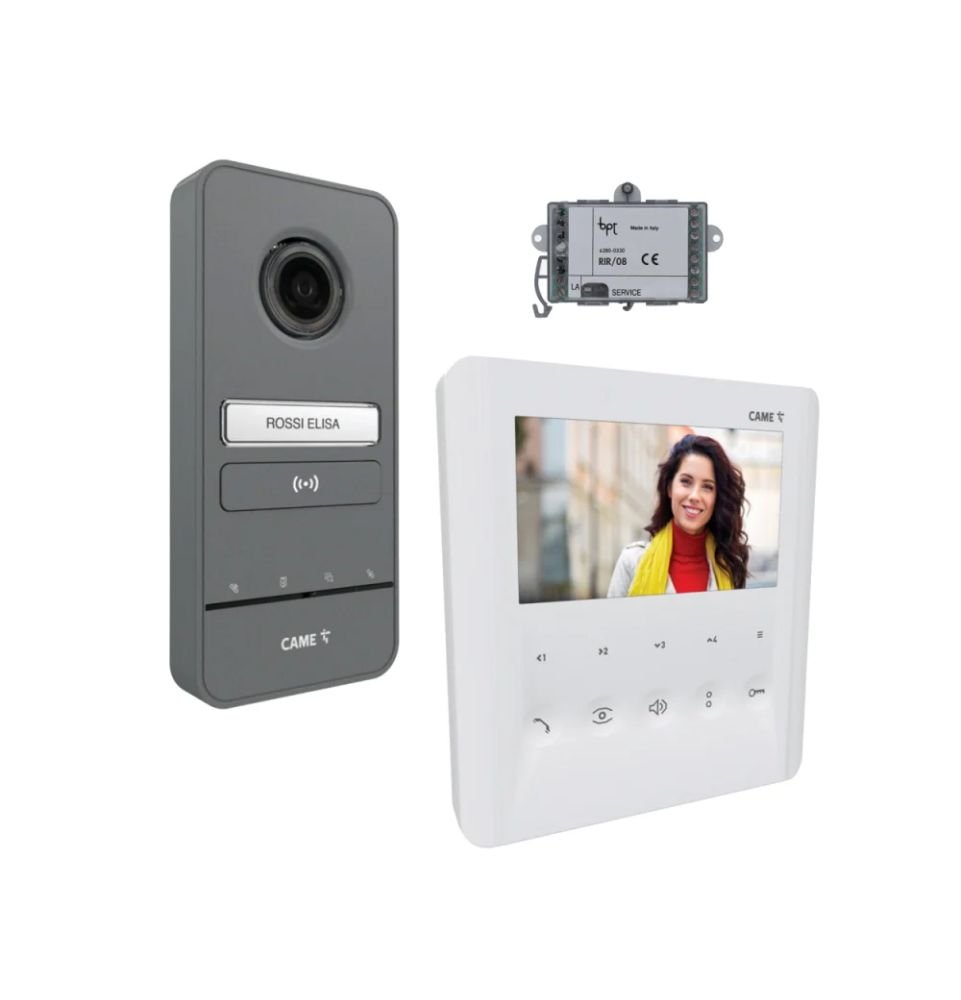
CAME PLX V BF Wireless Video Intercom
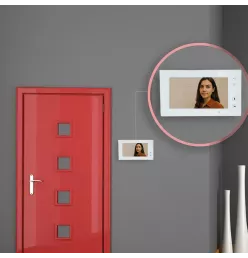
Pair your automatic gate with a wireless video intercom system for enhanced security and convenience. With an outdoor unit and an indoor monitor, you can see, hear, and remotely open your gate or garden gate. The units are designed to be both durable and visually appealing.
Guaranteed cheapest product on the web
Found it cheaper elsewhere? We'll refund the difference.
Made in
France & Europe
Flexible Payment Options
10-Year
Anti-Corrosion Warranty
Home delivery
or in-store pickup
Combining style and functionality, this wireless video intercom is easy to use thanks to its intuitive buttons and indicator LEDs. Built to last, it adds value to your property and is suitable for users with hearing aids. At Districlos, your security is a priority. Made from a metal alloy, the system stands up well to weather and impacts.
The camera offers a wide-angle view up to 100°, giving you a clear look at your entrance.
This kit includes
CAME PLX V BH monitor
CAME LHS outdoor panel
Converter
PLX V BF Video Intercom Benefits
- Convenience: High-definition camera lets you recognize visitors at a glance
- User-friendly: Multiple features accessible with simple controls
- Modern design: Sleek white finish blends with any décor
Additional Information
Power supply (via Bus): 15-20 V (DC)
Storage temperature: -25°C to 70°C
Operating temperature: 5°C to 40°C
Outdoor panel base made of Zamak
How to connect a video intercom to an automatic gate
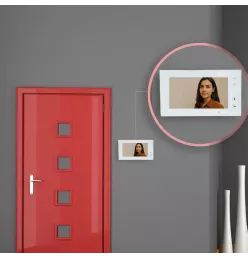
Before wiring your video intercom and connecting it to your automatic gate, always turn off the power supply to prevent accidents. Mount the outdoor panel near your gate or garden gate. Remove the front cover and secure the unit to the wall. Connect the cable, adjust the volume, and reattach the cover. For the indoor monitor, mount it to the wall (typically near the entry door) and connect the BUS cable to the terminal block. Snap the monitor onto its bracket. Next, complete the electrical connections. Use cables around 1.5mm² from the electrical panel with a 10A circuit breaker to link your gate to the intercom. Connect the live and neutral wires, then the BUS cable between the outdoor panel and the indoor monitor. Finally, check that everything is working properly. If you have any doubts, refer to the manual or consult a professional installer.
In the same category
Our customers also bought
Home delivery free from 999 € incl. tax !
1. Estimate your delivery cost
This simulation takes into account the products in your cart (e.g. products with a transport surcharge). To confirm a delivery option, you must proceed to the "shipping" step by clicking the "place order" button.
| Carrier | Delivery price | Information and average lead times |
|---|
There is no delivery option available for the postal code entered
2. Delivery options
Standard Delivery: right into your garden! Our teams unload the goods at the requested address.
Economy Delivery: to save money, lend a hand to our delivery drivers.
Some heavy products, such as concrete base panels, incur a delivery surcharge. Please estimate your shipping costs to find out the amount.
3. Schedule your delivery
Book an appointment directly with our teams. Choose a specific date and time so you can be present at the delivery.
4. Delivery time
If you have chosen delivery from our nearest store, the lead time is approximately 10 to 15 working days (except in special cases).
5. Order tracking
An email is sent at each stage of your order processing. You can also keep an eye on the tracking directly in your customer account.
Otherwise, contact your store or the sales department at 04 22 53 10 34.
Get Districlos news, deals and inspiration in your inbox!